

Marketing automation tools take repetitive work, such as welcome emails, lead follow-up and reminders, and run it according to rules you set. When the process is well understood, automation saves time and reduces missed follow-ups. When it is not, automation simply sends mistakes faster. This guide explains common marketing automation workflows, how to choose marketing automation tools and how to launch carefully without losing the human touch.
What marketing automation tools do
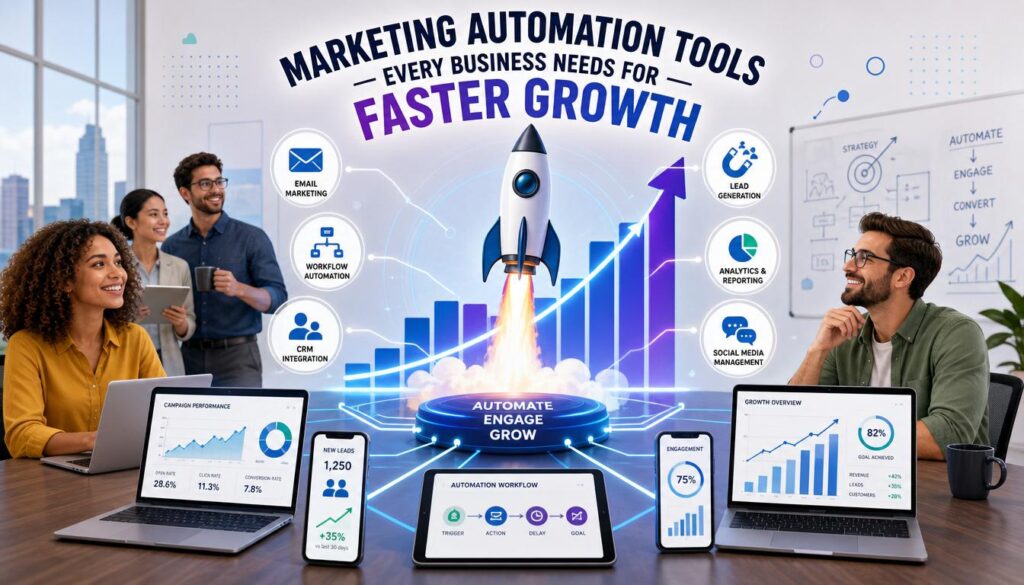
Marketing automation tools respond to triggers, such as a form submission, a purchase or a period of inactivity, by performing actions: sending an email, tagging a contact, notifying a salesperson or updating a record. They connect data from your website, email list, customer database and advertising accounts. The value lies in consistency, because every new lead or customer gets a timely, relevant response without someone remembering to do it manually.
Map your process before choosing software
Write down the steps of the customer journey in plain language. For example: visitor downloads a guide, receives a welcome email, gets two helpful follow-ups, books a call or is moved to a nurture list. Identify where delays or manual work cause problems. Only after the process is clear should you look for tools. Our guide to business management tips explains how to document repeatable tasks.
Workflow 1: Welcome and onboarding
A welcome workflow sends a short series of emails after sign-up or purchase. It confirms what the person will receive, explains how to get started and answers common questions. Include a way to reply and clear links to support. Check the workflow regularly to ensure the information remains accurate.
Workflow 2: Lead nurturing
Not every lead is ready to buy immediately. Nurturing workflows send helpful content over time, such as guides, case studies and comparisons, and track engagement. When someone clicks pricing pages or replies, the system can alert a team member to follow up personally. This combination of automation and human contact is more effective than relentless sales emails.
Workflow 3: Abandoned cart and post-purchase
Online stores can remind customers about unfinished orders and send delivery updates, care instructions and review requests after purchase. Keep messages useful and respectful, and limit the number of reminders. Our ideas for email marketing campaigns include timing suggestions.
Workflow 4: Re-engagement and list cleaning
Automated rules can identify subscribers who have not opened or clicked for a defined period, send a friendly check-in and remove those who do not respond. This keeps your list healthy and improves deliverability and the accuracy of your results.
Selection criteria for marketing automation tools
- Fit: Does it support the workflows you actually need?
- Integration: Can it connect to your website, shop, CRM and analytics?
- Ease of use: Can your team build and edit workflows without constant technical help?
- Compliance: Does it manage consent, unsubscribes and data requests properly?
- Reporting: Can you see what each workflow achieves?
- Cost and exit: Is pricing predictable, and can you export your data?
Follow email and privacy rules
Automation does not remove legal duties. In the United States the CAN-SPAM guide covers sender identification and opt-outs, and other regions have additional consent requirements. Use data responsibly, as explained in our first-party data guide.
Test before you launch
Send test messages to yourself, check links, view emails on mobile and verify that triggers work as expected. Start with a small group, monitor results and fix problems before expanding. Set up alerts for failures, such as emails that did not send or forms that are not connected.
Review workflows regularly
Offers, prices and processes change, so automated messages can become outdated. Review each workflow every quarter, update content and remove steps that no longer make sense. Keep a simple record of what each workflow does and who owns it.
Common automation mistakes
The most common mistake is automating a process that is not working well manually. If the offer is unclear or the follow-up message is weak, automation will only deliver that weakness to more people. Another mistake is sending too many messages because it is easy, which leads to unsubscribes and complaints. Teams also forget to update workflows after prices or services change, so customers receive outdated information. Finally, many businesses set up tools without testing integrations, and leads quietly disappear because a form is not connected correctly. A monthly check of the main workflows prevents most of these problems.
An example workflow for a service business
Consider a design studio that receives enquiries through a website form. The automation sends an immediate confirmation, tags the contact by the project type selected and notifies the owner. If the owner has not replied within one working day, the system creates a reminder task. After a consultation, a follow-up email provides a summary and next steps, and a later message asks for feedback. Each step saves a few minutes, but together they make the business appear organised and responsive, which often matters as much as price.
Keep data tidy so automation works
Automation depends on accurate information. Use consistent names for tags and lists, avoid duplicate contacts and remove outdated records. Decide which fields are truly needed, because collecting too much data increases risk and complexity. Document how contacts move between lists so that new team members can understand the system. Clean data leads to better segmentation, clearer reports and fewer embarrassing mistakes such as using the wrong name or product.
Assign an owner to every workflow
Each automation should have a named person who understands what it does, checks it regularly and can switch it off if something goes wrong. Record the trigger, the message content, the audience and the date it was last reviewed. When staff change roles, hand the documentation over so no automation continues running unnoticed.
Key takeaways on marketing automation tools
Good marketing automation tools support processes that already work, so map the customer journey before you buy anything. Compare marketing automation tools on fit, integration, compliance, reporting and cost, and test every workflow before launch. Review each automation every quarter, because marketing automation tools only help when the messages stay accurate. Start with one welcome workflow and expand carefully.
Frequently asked questions
Is marketing automation only for large companies?
No. Small businesses often benefit from simple automations like welcome emails and reminders.
Will automation make my brand feel impersonal?
It can if messages are generic. Use relevant content, a natural tone and an easy way to reach a person.
How much should I automate?
Automate stable, repetitive tasks first, and keep people involved where judgment and empathy are needed.

2 Responses